

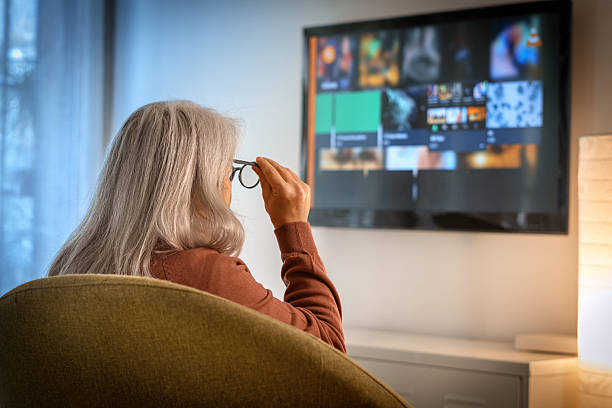
A smart TV can make home entertainment easier by bringing online videos, streaming services, and television channels together on one screen. However, buying a brand new model can be expensive. A used smart TV may offer a more affordable way to enjoy these features.
If you are looking for a used smart TV for sale in Dubai, it is important to understand what you are buying. Not every smart television offers the same features, and older models may have limitations.
Some televisions have excellent picture quality but support fewer applications. Others may offer useful streaming features but need a software update or a better internet connection.
This guide explains how smart televisions work, what to check before buying one, and how to find a model that suits your budget.
What Is a Smart TV?
A smart TV is a television that connects to the internet and supports online features. Depending on the model, it may allow you to watch streaming services, browse supported applications, and access online videos.
Enjoy Online Entertainment
A smart television can provide access to entertainment without requiring a separate computer.
For example, you can use a supported streaming application to watch a film with your family. You may also access online videos, music, and other services.
The available applications depend on the television’s operating system, model, and software support.
Connect to Your Home Wi Fi
Many smart televisions connect to the internet through Wi Fi. Some models also support a wired internet connection.
Before buying a used smart TV, check whether it can connect to your home network. Open the network settings and test the connection if possible.
A television with working internet features can provide more value than one whose smart functions no longer work properly.
Use External Devices When Needed
Some older smart TVs may not support newer applications. You may still be able to use an external streaming device if the television has a compatible HDMI port.
For example, a person who wants to stream online videos may connect a supported streaming device to an older television.
This can be a practical alternative to buying a new television, provided the screen and other functions work properly.
Benefits of Buying a Used Smart TV
Buying a second hand smart television can be useful when you want modern entertainment features at a lower cost.
Save Money
A used smart TV may cost less than a new model with similar screen size and features.
This can help families, students, and people furnishing a new home manage their budgets.
However, compare prices carefully. A very old model may have limited software support, so consider its features before deciding.
Get More Features for Your Budget
A limited budget may allow you to buy a basic new television or a used model with more features.
For example, you might find a used television with a larger screen, better resolution, or built in streaming functions within your budget.
Always compare the actual condition and available features rather than relying on the model name alone.
Find a Suitable Television for Any Room
A used smart TV can work well in a bedroom, living room, guest room, or office.
Consider your viewing habits before choosing the size. A small television may be sufficient for occasional viewing, while a larger screen may be more comfortable for family entertainment.
What to Check Before Buying a Used Smart TV
Checking the television before payment can help you avoid common problems.
Inspect the Screen Carefully
Switch on the television and look for cracks, dark areas, flickering, lines, or unusual colours.
Play a video with bright and dark scenes. Move through different menus to check whether the picture remains stable.
Screen damage can be costly to repair, so do not ignore visible problems.
Test Wi Fi and Streaming Applications
Open the network settings and connect the television to a working Wi Fi network.
If possible, open a streaming application that you plan to use. Confirm that the application works and that the television can play content without unexpected errors.
Remember that an older model may no longer support certain applications. Check compatibility before buying.
Check the Operating System
Smart televisions use different operating systems. The menus, available applications, and software updates vary between models.
Ask for the model number and check the manufacturer’s information. Find out whether important applications still work and whether software updates remain available.
You should also check whether the television allows you to install applications or only supports a fixed selection.
Test Sound and Connections
Make sure the built in speakers produce clear sound. Test the volume controls and remote control.
Check the HDMI ports if you plan to connect a gaming console, laptop, or streaming device. Also inspect USB ports and other connections you may need.
Check Privacy and Account Settings
Before using a second hand smart television, reset it to its factory settings if possible.
This removes many previous user settings and helps you set up the television with your own accounts.
Follow the manufacturer’s instructions and confirm that the previous owner’s account is no longer connected.
How to Choose the Best Used Smart TV
The best model depends on your needs rather than the number of features advertised.
Choose the Right Screen Size
Measure the space where you plan to place the television. Consider how far you will sit from the screen and whether it will stand on furniture or be mounted on a wall.
A large television may provide an enjoyable experience in a living room, but it may not suit a small bedroom.
Compare HD, Full HD, and 4K
Different televisions offer different resolutions.
HD may be sufficient for basic viewing on a smaller screen. Full HD can provide a sharper picture, while 4K offers more detail when supported by the television and content.
Picture quality also depends on screen condition and other display features.
Check the Remote and Sound
Make sure the remote works and the speakers sound clear. Check whether the television supports external speakers if you want to improve the sound later.
Replacing a missing remote may add to your total cost.
Common Mistakes When Buying a Used Smart TV
Assuming Every Application Will Work
Do not assume that all streaming applications are supported. Check the model and software compatibility before buying.
Ignoring Internet Problems
A smart television needs a suitable internet connection for online features. Test Wi Fi and check whether the television can connect reliably.
Forgetting the Total Cost
Consider delivery, mounting, cables, replacement remotes, and any additional devices you may need.
A slightly more expensive television with all the required accessories may offer better overall value.
Conclusion
A used smart TV for sale in Dubai can be a good option for buyers who want online entertainment without spending too much.
Before buying, inspect the screen, test Wi Fi, check streaming applications, and confirm that the remote and connections work properly. Review the model’s software support and reset the television before using your accounts.
Compare several options and choose a television that matches your space, budget, and viewing habits. Careful checks can help you enjoy smart TV features with greater confidence.